dNinja
stencil generator
How to export gerber from KiCad file
设置参数
Setting Parameter
设置值
Setting Values
对钢网厂的评论
Comment for stencil factory
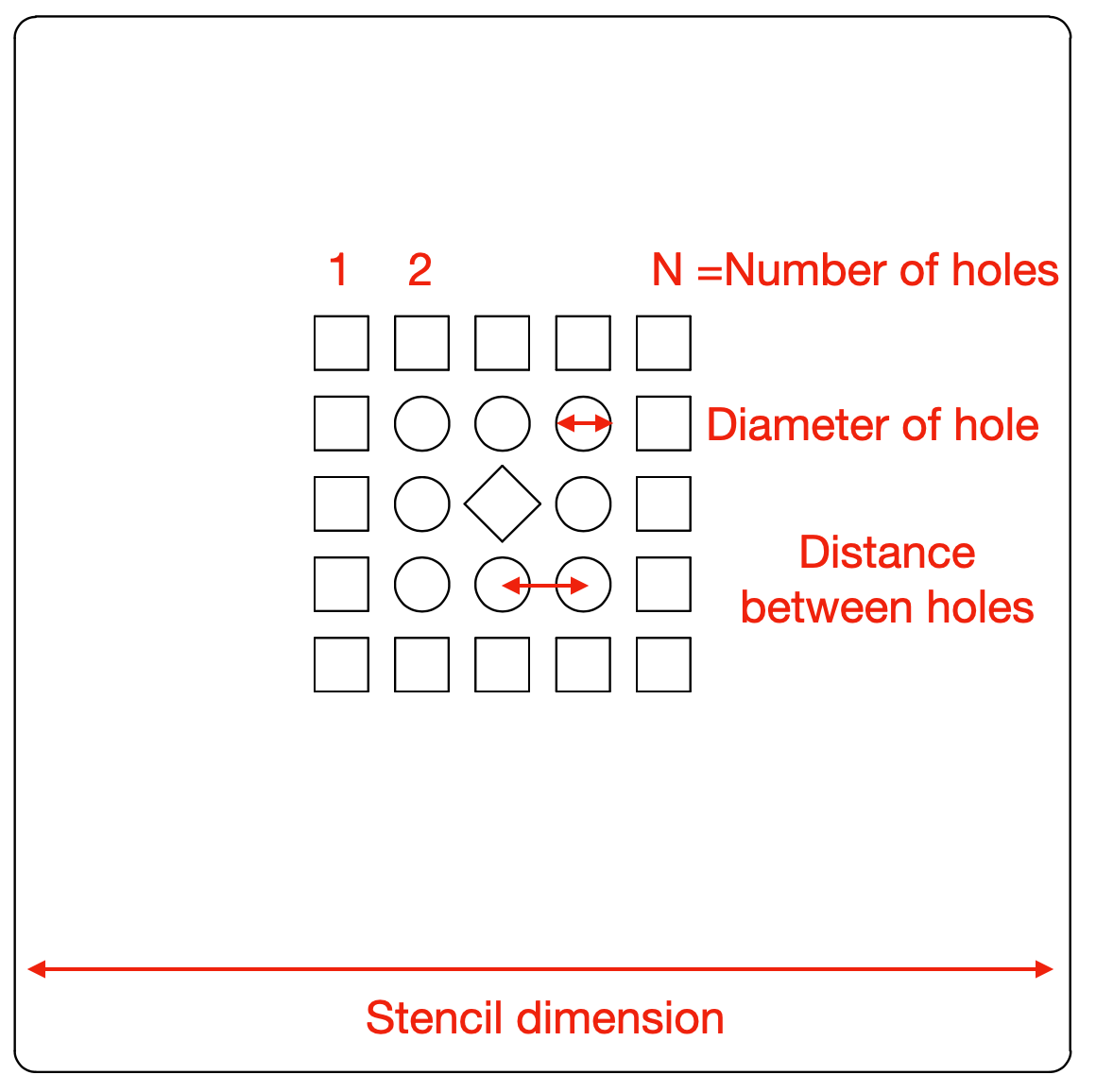
孔的数量
Number of holes
横向(horizontal)
x
纵向(vertical)
至少需要20,000个孔 142x142=20164
At least 20,000 holes are needed.
孔的直径(mil)
Diameter of hole
1mil=1/1000inch=0.0254mm=25.4μm是最好的
1 mil is best
孔之间的距离(mil)
Distance between holes
就质量稳定而言,越小越好。 什么是你最好的?
Smaller is better as far as stable quality. What's your best?
将孔的形状摆成方形
Square the shape of the hole
中心(center)
角落(corner)
所有(all)
将洞的形状从圆形改为方形,以使其更容易被发现
Change the shape of the hole from a circle to a square to make it easier to be detected.
旋转中心广场
Rotate Center Square
将中间的方块旋转45度,以区别于角落的方块
Rotate the center square 45 degrees to distinguish it from the corner squares.
孔的KiCad层的名称
Name of KiCad layer for holes
F.Paste
Edge.Cut
哪一层是用于孔的
Which layer is used for the holes.
钢网的尺寸(mm)
Dimension of stencil
宽度(width)
x
垂直(height)
输出格式
Output format
KiCad
KiCad+Gerber
层来生成gerber(layer to generate gerber)
F.Cu
B.Cu
B.Adhesive
F.Adhesive
B.Paste
F.Paste
B.Silkscreen
F.Silkscreen
B.Mask
F.Mask
User.Drawings
User.Comments
User.Eco1
User.Eco2
Edge.Cuts
Margin
B.Courtyard
F.Courtyard
B.Fab
F.Fab
下载KiCad文件或gerber
Download KiCad file or gerber directly.